
Download MyCarls – Carl's Jr. app, MyCarls app, Carl's Jr. deals, exclusive offers, burger ordering, fast food app, Android app
Overview
MyCarls is a lifestyle-focused mobile application developed by Carls Jr. Australia, designed specifically for Android users. The app serves as a digital gateway to the Carl's Jr. brand experience, offering users a convenient way to engage with the restaurant chain’s offerings. At its core, MyCarls enables customers to explore the full menu, access exclusive deals, and place orders for fresh, high-quality meals. The platform emphasizes the signature Carl's Jr. experience, including 100% chargrilled Angus beef burgers and hand-breaded chicken, prepared to order for optimal taste and freshness.
Target users include fast food enthusiasts, regular Carl's Jr. patrons, and individuals seeking a streamlined way to enjoy their favorite meals with added value. The app is particularly beneficial for those who appreciate timely promotions and want to stay informed about new menu items and limited-time offers. Real-world usage scenarios include ordering lunch on the go, redeeming discounts at local locations, and participating in branded campaigns through the app. By integrating ordering, rewards, and promotional content, MyCarls enhances the customer journey from discovery to consumption.
Key Features & Capabilities
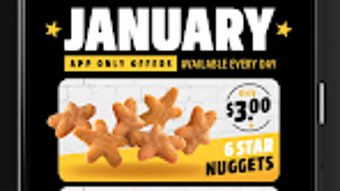
- Exclusive Deals and Promotions – Users gain access to special offers only available through the MyCarls app, including discounted meals, bundle deals, and limited-time promotions.
- Menu Exploration – A fully interactive menu allows users to browse all available items, view detailed descriptions, ingredients, and nutritional information.
- Ordering System – The app supports direct ordering for pickup or delivery, streamlining the process with saved preferences and order history.
- 100% Chargrilled Angus Beef & Hand-Breaded Chicken – Highlights the quality of core ingredients, reinforcing the brand’s commitment to premium fast food.
- All-You-Can-Drink Beverage Bar – Offers unlimited access to selected beverages during qualifying visits, enhancing the overall dining experience.
These features are designed to improve user engagement and satisfaction. For example, a user can discover a new burger promotion, view its ingredients, and place an order in under two minutes. The integration of exclusive offers encourages repeat usage and strengthens brand loyalty. The app also supports a personalized experience by remembering user preferences, which helps reduce decision fatigue during frequent visits.
User Interface, Workflow & Performance
The user interface of MyCarls is structured around simplicity and brand consistency, featuring a clean layout with intuitive navigation. Key sections such as the menu, deals, and order history are accessible via a bottom navigation bar, ensuring fast access without clutter. The workflow is optimized for quick ordering, with minimal steps from selection to confirmation. Users can save favorite items, apply promo codes, and track order status in real time.
Performance observations are based on general software behavior patterns. The app is designed for Android devices and operates within typical mobile application resource constraints. The developer did not specify resource usage details. Stability is expected to align with standard app standards, with regular updates likely to address bugs and improve functionality. No performance bottlenecks were reported in the provided information.
Compatibility & System Requirements
MyCarls is compatible with Android operating systems. The current version is 3.1.2, with an installation size of 34.6 MB. This indicates a lightweight footprint, suitable for devices with moderate storage capacity. The developer did not provide additional system requirements, such as minimum RAM, processor specifications, or Android version compatibility. Compatibility information was partially provided.
Pros and Cons
Pros
- Free to download and use
- Access to exclusive discounts and promotions
- Streamlined ordering process with saved preferences
- High-quality food offerings highlighted in the app
- Integrated beverage bar for enhanced meal value
Cons
- Available only on Android, limiting cross-platform access
- No information on offline functionality
- Exact performance and resource usage details not disclosed
- App is restricted to Carls Jr. Australia’s market
FAQ Section
Is MyCarls available for iOS devices?
As of now, MyCarls is only available for Android users. The developer has not announced availability on iOS platforms.
Is the app safe to download and use?
MyCarls is developed by Carls Jr. Australia and is available for free on the Google Play Store. It is recommended to download only from official sources to ensure security and authenticity.
How often does the app receive updates?
Regular updates are likely, as the app includes current promotions and menu changes. The exact update frequency was not specified by the developer.
Does MyCarls require an internet connection?
Yes, the app requires an active internet connection for ordering, accessing deals, and viewing the menu. Offline functionality was not mentioned.
Can I use the app without creating an account?
While the app allows browsing the menu, full access to exclusive offers and ordering features typically requires a user account.
Final Thoughts
MyCarls delivers a focused, brand-centric experience tailored to Carl's Jr. Australia’s customer base. Its strength lies in exclusive deals, a well-organized interface, and a direct connection to high-quality menu items. While it is limited to Android and lacks detailed technical specifications, its free model and practical features make it a valuable tool for fans of the brand. For users who enjoy fast food with added perks, MyCarls enhances convenience and value. Download MyCarls now and elevate your Carl's Jr. experience with exclusive offers and fresh, flavorful meals.




.png)


